The Modular Discovery Framework for M365 Migrations
Migrations with lots of moving parts can be overwhelming. Discovery especially so. Here's the systematic framework that prevents paralysis and avoids last-minute gotchas by treating each migration type as a set of building blocks you add or subtract.
The Modular Discovery Framework for M365 Migrations
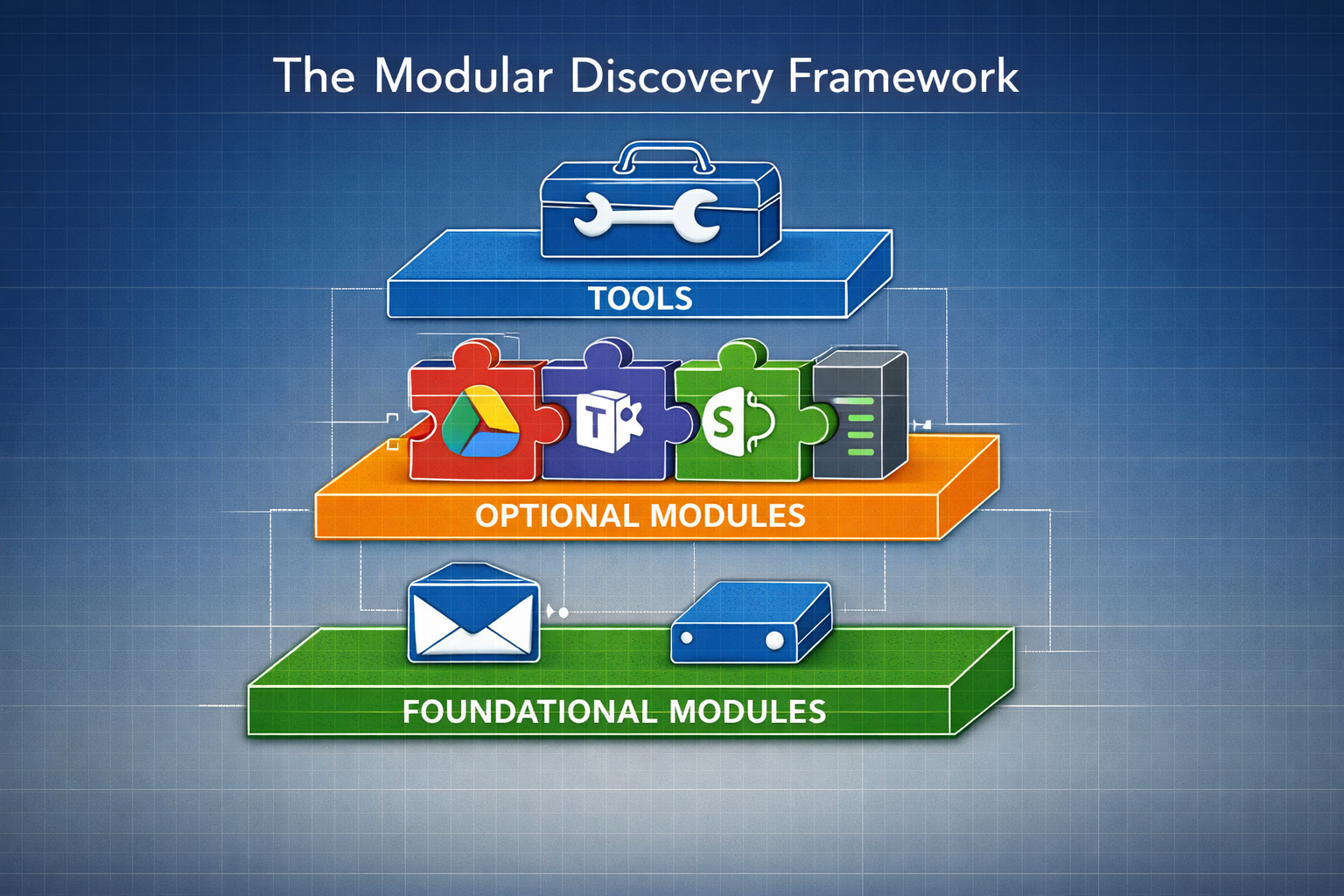
Migrations with lots of moving parts can be overwhelming. Discovery especially so. That's why the modular framework is so important. It's like tools in a toolbox. You ask the client some preliminary questions and then you bring the right tools for the job.
For instance, I can give you one tool immediately that I use only for Google to M365 migrations: https://gettenantpartitionweb.azurewebsites.net/. We now ask for and check if a Google domain is already associated with an M365 tenant. We've been burned a couple times when either trying to migrate the domain the night of the migration or in doing some last-minute checks the day of the migration.
In M365 to M365, we know that we need to remove the domain from the previous M365 tenant. But in Google to M365 domains, we don't know if it has been claimed by another M365 tenant in the past. That's why we run the tool to be sure. The modular framework is about knowing which tools you need before you start the work.
How Modular Thinking Keeps You From Being Paralyzed
Your first question is: what is the source platform? Google? Great. Then you know you need to look for the users, look at which accounts may be shared accounts, check for Google Shared Drives. In this way there is a structured and systematic way to look for things in discovery and ask questions that avoid gotchas later.
Questions like: "I see you have Google Drive, but are there any shared document repos outside of Google?" You might find a Dropbox account used to share files with customers you wouldn't have known about.
What I am trying to develop is a way to think about a migration so that you have basic building blocks that you can add and subtract depending on the migration. It's about having all the tools necessary to perform a thorough discovery for each type of migration you may encounter.
Modular thinking helps avoid paralysis, that feeling of being overwhelmed and not knowing where to start. It also avoids last-minute gotchas, things that come up because of questions you didn't ask. The migration has happened and now the sales team is missing a client repository because you didn't ask about it. As I discussed in my article about migration documentation as architecture, discovery is where you build the guardrails that keep the project on the road.
What the Building Blocks Actually Are
The building blocks are a little of both: what to discover and how to discover it. When I have a Google Workspace to M365 migration, I'm looking for different data in different places. For example, I am looking for Google Shared Drives to move to Teams or SharePoint. I am also using GAM to get certain kinds of data. Also, because I don't need to pull the domain from an M365 tenant, my cutover is different. I can run the BitTitan full migration at the beginning of the cutover window because my UPN in the source of the BitTitan job never changes.
We're going to treat user accounts as a module, shared mailboxes as a module, on-prem file servers as a module (most orgs don't have them, but we need to perform discovery in a different way; also, we're likely to use the SharePoint Migration Tool instead of BitTitan). Google Shared Drive to SharePoint/Teams is a module. The client may or may not use it or need it migrated. Teams is a module in M365 to M365 migrations. SharePoint is a module and may or may not be needed in a M365 to M365 migration.
Foundational Modules: What's Always There
Every user has a mailbox and personal storage, regardless of platform. Mail migration is foundational. OneDrive/Google Drive is foundational. These are the modules that appear in every migration. As I learned from 70+ migrations over nearly two years, the preparation phase is the most critical, and these foundational modules are where preparation starts.
Mailboxes: Whether it's Google Workspace, M365, or IMAP, I'm looking for shared mailboxes over 50GB and user mailboxes over 100GB. M365 licensing limitations make these important to flag during discovery.
Shared mailbox permissions need to be asked about on Google to M365 migrations. Since many shared mailboxes are indistinguishable from user mailboxes in Google Workspace, we need to ask the POCs about who will have access and what level of access they will have (Full Access, Send As, or both).
Personal Storage: OneDrive, Google Drive, or personal drives/folders on an on-prem file server. The threshold is 1TB for OneDrive and Google Drive. Also, lots of drives over 100GB may mean that the pre-stage migrations may need more lead time. Storage size affects both licensing (the 1TB limit) and project timeline (pre-stage duration).
Optional Modules: What You Add Based on the Migration
We always look for these modules and then ask the POC if that data is moving or in scope. Sometimes we don't find the SharePoint site or Google Shared Drive in discovery. Sometimes we find it but it was never used and therefore does not need to migrate.
Google Shared Drives: Google Shared Drive only exists in Google. When I discover Google Shared Drives, I'm capturing the name of the drive and any information I may need for pre-staging. The size matters for licensing and timeline planning. I also capture the member list to ensure users exist in the destination. I start thinking about how we may design the teams in the destination tenant. Typically the Team or SharePoint determination is made by the client, but we usually choose Teams. Lots of people just want the data and don't care about the SharePoint site.
SharePoint Sites: For SharePoint sites in M365 to M365 migrations, I need to know more than just the site name. I'm capturing the site URL, a list of all document libraries within each site (not just the main one), storage size for each library, number of items in each library, and any subsites. As I learned during a high-pressure carve-out migration, asking for "all document libraries" instead of assuming the main library is enough prevents missing critical data.
On-Prem File Shares: On-prem file shares are less structured and require a more in-depth process of asking the POC what is necessary. We're likely to use the SharePoint Migration Tool instead of BitTitan for these.
Third-Party Storage: The same approach applies if we ask the client and find out they're using Box or Dropbox.
Teams (M365 to M365): Teams is a module in M365 to M365 migrations and may or may not be in scope. The POC helps determine this.
The Discovery Process in Three Steps
I think about what I need to discover in that environment: the list of accounts, drives, and so on. I then think of the questions that I need to ask to uncover gotchas. But first is the environment discovery I do on my own, then is the meeting with the client to confirm what I've discovered and make decisions on shared mailboxes, user accounts, and the like, and then the questions of possible gotchas during that meeting.
The sequence is:
- Automated discovery: pull data from the source environment
- Validation meeting: confirm what you found, make decisions on accounts/mailboxes
- Gotcha questions: uncover things outside the environment
We're going to gather a list of user accounts in both Google and M365. We are going to usually get the mailbox sizes, OneDrive/Google Drive sizes, and list those things in our discovery documents in such a way that we can figure out with the help of the client which accounts will be migrated, which ones will become shared mailboxes.
How to Actually Implement This
Create a checklist on the first page of your spreadsheet template. Both the checklist and the spreadsheet work together.
Over 70+ migrations in nearly two years, the framework has evolved. It now has more questions on the checklist to filter out edge cases. That domain check tool I mentioned at the beginning? That's an example of how the framework evolves. We added that specific check after getting burned.
Conclusion: Know Your Tools Before You Start
When you know the source platform and you understand the modules that apply to that migration, you can walk into discovery confident that you're asking the right questions and looking in the right places. You avoid the paralysis of not knowing where to start, and you avoid the gotchas that surface when critical systems weren't discovered until it's too late.
After 70+ migrations in nearly two years, this is how my brain naturally works when thinking about a new project. "We're doing Google to M365. I need to look for this, this, and this." The framework removes the guesswork and replaces it with a systematic approach that scales across your team, regardless of who is leading the migration.
Tags: