M365 Migration Documentation as Architecture: How I Learned That Documentation Is My Friend
I used to hate documentation. After leading 60+ M365 migrations, I learned it's actually the most critical part of any project. Here's the discovery process that works.
M365 Migration Documentation as Architecture: How I Learned That Documentation Is My Friend
I used to hate documentation.
For a long time, my mindset was pure engineering: build, troubleshoot, move on to the next thing. Documentation felt like a chore, something you did at the very end to satisfy a Project Manager or a compliance checklist. I wanted to focus on the task in front of me, not drafting documents in Word.
But years of working as a consultant and implementation engineer, and especially after nearly two years of leading complex, tenant-to-tenant migrations, my perspective has shifted completely. I've learned that clear plans aren't just for PMs; they are critical tools for engineers and solutions architects. When you are working on massive projects with multiple stakeholders, different legal entities, and distributed teams across five time zones, you cannot just "figure it out as you go."
In this new era of remote work and fragmented teams, documentation is the architecture. It is the only way to ensure that what you are building matches what the business actually needs.
The Foundation: The Project Manager and The Kick-Off
Before we dig into the technical weeds, we have to set the stage. I write this from the perspective of a Project Engineer and Solutions Architect; my job is the "how" and the execution. However, none of this works without a solid Project Manager (PM). In complex, multi-year migration timelines, a good PM is worth their weight in gold. They manage the stakeholders so I can manage the architecture and implementation.
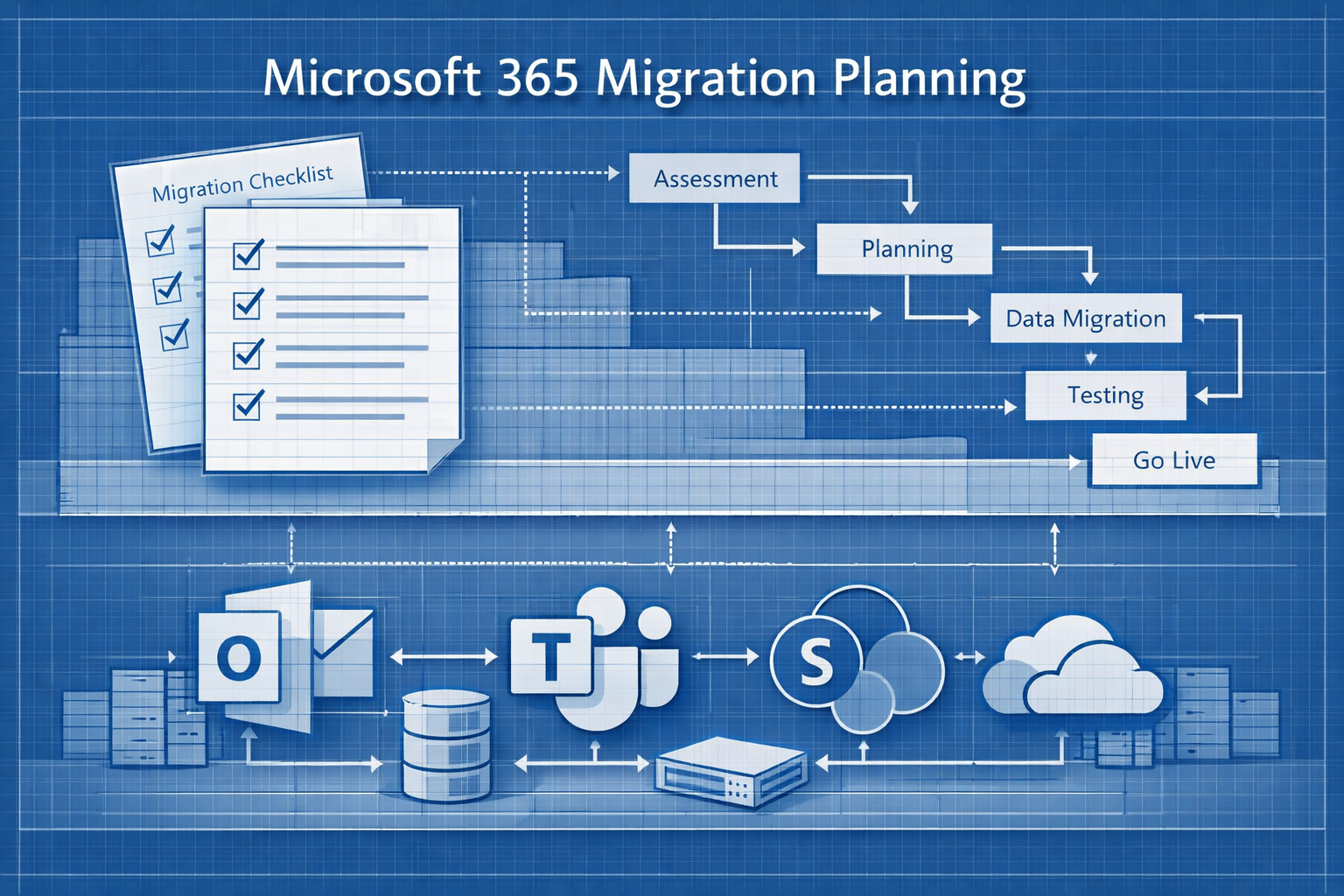
Our first major piece of documentation is the Kick-Off Checklist. We use a specific checklist to ensure the client knows exactly what to expect over the coming months. We cover the timeline, the outage window, and the inevitable friction points. If we don't document these expectations upfront, we end up fighting unnecessary battles halfway through the migration. More importantly, we review this with the client on the kickoff call and ask for feedback along the way. This is usually the client's first time interacting with the team. It makes the team look prepared and professional. Also, asking them for feedback sets the tone for our sometimes months-long collaboration.
As I tell our clients in kick-off: Migrations are disruptive. I cannot guarantee you perfection, but our team will give you the smoothest migration possible. We ask so many questions so that we don't break your business.
The BU Survey: Asking the "Human" Questions
Once expectations are set, we deploy the Business Unit (BU) survey. This is our primary tool for catching edge cases that automated tools might miss. As I discussed in my article about lessons from one year of M365 migrations, discovery is the most critical phase of any migration project. The survey is where we capture the human element that no script can discover.
If you are building your own discovery survey, here are the non-negotiables you must ask to uncover the hidden blockers:
Critical Survey Questions
Storage Locations
"Do you use any non-company approved storage (Dropbox, Box, Personal Drive)?"
This reveals shadow IT that won't appear in your Microsoft 365 tenant audit. Users often don't realize they're storing critical work files outside the corporate environment.
Shadow Automation
"Do you rely on any Google Apps Scripts, Power Automate flows, or custom macros?"
These are invisible to standard migration tools and often break when users move to new hardware or tenants. I've seen entire departments lose productivity because a critical Power Automate flow wasn't documented before migration.
Support Logic
"Does your team use support software (e.g., Zendesk, Freshservice) that relies on specific email forwarding rules?"
If we migrate the mailbox but miss the forwarding logic, your support queue goes dark on Day 1. This is particularly critical for shared mailboxes that feed into ticketing systems.
Data Ownership
"Are there any critical files currently owned by former employees?"
We need to know if that 'dead' account is actually hosting the team's live roadmap. Users frequently access shared documents from terminated employees' OneDrives without realizing the risk.
The Technical Source of Truth: Cloud and Endpoint Discovery
Once we have the human input, we validate it with technical discovery. This happens on two fronts: the Cloud and the Endpoint.
Cloud Discovery: PowerShell and Microsoft Graph
For Microsoft 365 environments, we use PowerShell and Microsoft Graph API extensively. For Google Workspace sources, we leverage GAM (Google Apps Manager). We focus on pulling user accounts, exchange mailboxes, shared mailboxes, distribution lists, M365 groups, Teams, and SharePoint sites.
The primary metric here is size, but we're also looking for licensing implications and architectural decisions.
The "Need vs. Want" Conversation
If a Business Unit has 4TB of SharePoint data, that triggers a meeting. Do they actually need all 4TB active in the destination tenant, or can we archive portions to Azure Blob Storage or implement retention policies?
Licensing Implications
We identify mailboxes over 50GB immediately. If the destination tenant isn't licensed for Exchange Online Archiving, discovering this early lets us fix the licensing before the migration fails. This is where understanding Microsoft 365 licensing models becomes critical to project success.
Microsoft 365 Groups and Teams
We also audit Microsoft 365 Groups, Teams channels, and their associated SharePoint sites. The interconnected nature of these services means you can't migrate one without understanding the dependencies of the others.
Endpoint Discovery: RMM and Configuration Manager
We don't just look at the tenant; we look at the metal. We use our Remote Monitoring and Management (RMM) tools to gather data on installed applications. If you have Microsoft Endpoint Manager (Configuration Manager or Intune) or Nable you can pull comprehensive application inventories.
Cloud discovery might miss a locally installed legacy accounting app or a custom script residing on a user's machine. If users are receiving new laptops as part of the migration, these local tools will vanish unless we document them and plan for their re-installation or replacement with SaaS alternatives.
Enterprise Apps and the Legal/Security Review
The discovery phase is also where we audit third-party applications integrated with the Microsoft 365 tenant. This has become increasingly complex with not only the rise of Generative AI tools connecting to enterprise data, but the proliferation of SaaS apps that require tenant integration.
Our role isn't to be the "App Police," but to be the flag bearer for the client. Different clients have different risk appetites. Some industries prohibit GenAI entirely; others embrace it with proper guardrails.
When we discover an app during our audit (especially something like ChatGPT Enterprise, Copilot extensions, or custom Graph API integrations) we flag it immediately. This documentation allows the client to make the call: is this app allowed? If they aren't sure, it triggers a formal workflow to send the application for legal and security review.
This ensures that when we integrate apps in the destination tenant, we aren't accidentally bypassing the client's compliance policies or exposing data to unauthorized third parties.
The Discovery Meeting: Validating the Plan
Once the survey is complete and the discovery scripts have run, we sit down for the discovery meeting. This is usually myself, the BU Point of Contact (BU POC), the Project PM, and relevant collaboration engineers.
The goal of this meeting is to turn our raw data into a migration plan. In long-standing engagements where we have built trust, a verbal agreement followed by a confirmation email and a link to the Tenant Documentation (our source of truth) is sufficient.
However, complex scenarios require more rigidity. As I discussed in my article about Mastering M365 Carve-Outs, when you have multiple parties and legal entities involved, a shared Excel workbook isn't enough. In those cases, we produce a formal, step-by-step migration plan document that every stakeholder reviews and signs off on.
When Data Disagrees with Humans
One scenario that comes up repeatedly in discovery meetings is the conflict between what the data shows and what the business stakeholders tell us.
For example, our PowerShell scripts might show that User X hasn't logged into Microsoft 365 for six months, suggesting we should deactivate or not migrate the account. The BU POC might argue that User X is on extended leave and needs to be migrated.
In these cases, we almost always defer to the BU POC. It's a battle that doesn't need to be fought. I'd rather migrate a dormant account than delete a critical user because I trusted a script over institutional knowledge. The cost of migrating one extra mailbox is trivial compared to the cost of losing access to important historical data.
The Town Hall: Documenting the User Experience
We can't talk about documentation without talking about the end-user. Just as we have technical documents for the engineers, we need "user documents" for the employees who will experience the migration.
This takes the form of the Town Hall Slide Deck. This is a presentation where we get all the migrating users on a call to explain exactly what will happen. This deck serves as their roadmap:
- What will the migration weekend look like?
- How do they access support on Day 1?
- What items will migrate (email, Drive/OneDrive, Teams data) and what will not (chat history, custom Outlook views, local PST files)?
- What changes should they expect in their daily workflows?
This deck is often the first time users realize the magnitude of the change. By documenting it clearly and holding an interactive session where users can ask questions, we reduce the fear of the unknown.
We also record these Town Hall sessions and make them available afterward. This becomes a critical reference document when users claim "nobody told me" about a specific migration limitation.
The Technical Checklist: Your Migration Night Playbook
On the night of the migration, when the cutover window opens, the only document I'm looking at is my Technical Execution Checklist (the specific, line-by-line steps my engineers follow to execute the cutover).
This checklist is typically a detailed runbook that includes:
- Pre-migration validation steps (DNS records, mail flow connectors, authentication verification)
- Migration tool configuration and batch initiation
- Real-time monitoring checkpoints
- Rollback procedures if critical failures occur
- Post-migration validation (mail flow testing, SharePoint access verification, user sign-in checks)
This document is the culmination of all the planning that came before it. Every decision documented in the discovery phase, every edge case captured in the BU survey, every licensing consideration identified in the technical audit... they all feed into this checklist.
If your technical checklist is solid, the actual migration execution becomes almost mechanical. The hard work was done in the documentation phase.
Conclusion: Documentation is Your Guardrails
Getting to migration night requires weeks or months of preparation. The Kick-Off checklist, the BU Survey, the RMM reports, the Enterprise App audit, and the Tenant Documentation are not just paperwork. They are the guardrails that keep the project on the road. They are the reason we don't wake up on "Day 1" to find out we missed a critical Power Automate flow or the support queue isn't receiving tickets.
Migrations are inherently messy. There are always unexpected issues. But your documentation shouldn't be messy. Clear, comprehensive documentation is what transforms a chaotic migration into a managed one.
And if you've learned similar lessons in your own migrations (or if you disagree with my approach) I'd love to hear about it. The Microsoft community grows stronger when we share both our successes and our failures. Feel free to connect with me on LinkedIn.
Migrations are messy, but your documentation shouldn't be.
Tags: